

Smart Signals

See why an account fits the work you deliver

Smart Signals connect company activity with your delivery capabilities and target customers. Get an explained recommendation and a suggested next step, so you spend less time assembling the reason to pursue an account.

  • Your delivery strengths Your workspace administrator confirms what your team can deliver in Capabilities. Those confirmed strengths inform the recommendations.
  • Availability Smart Signals are available in IT Services workspaces with the feature enabled.

Recommendation details

Understand the situation, the match and the next step

Each Smart Signal explains a proposed selling situation and why it relates to your offering. Targeted job ads, company records and contacts give you the wider account background; a single vacancy or technology tag does not create a Smart Signal.

Explore targeted research
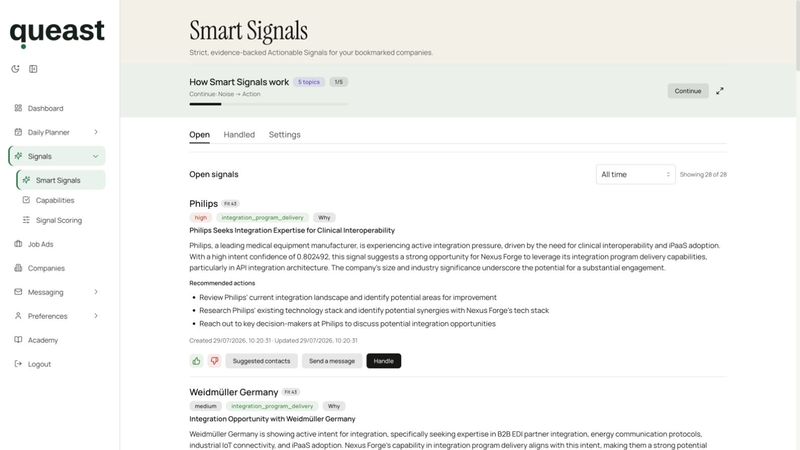
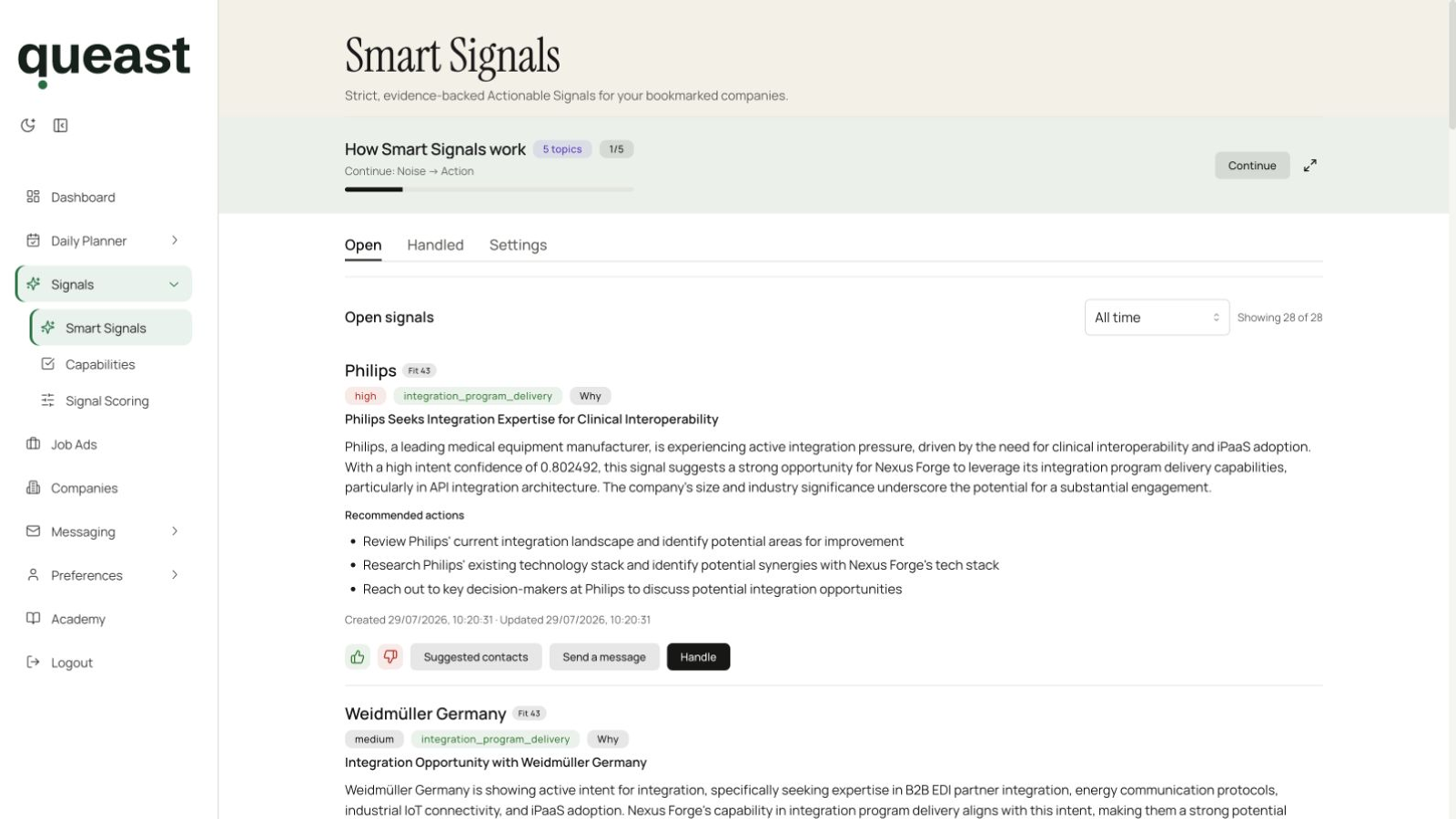
Smart Signals feed with recommendation summaries, capability labels, recommended actions, Suggested contacts and Send a message controls.
Smart Signals feed Each recommendation keeps its summary, capability label and recommended actions together, with controls for suggested contacts and message preparation. These recommendations do not confirm buying intent, budget or willingness to use an outside supplier. View screenshot at full size
  • The selling situation A title and written summary describe the company activity and the proposed opportunity.
  • Why it matches your services See the service capability connected to the recommendation. Available “Why” details add timing, including when the underlying company situation was first detected and last reinforced.
  • The suggested action Recommended actions give you a starting point for follow-up. Suggested contacts, when available, include the person’s role and a reason they may be relevant.

Illustrative example

From cloud hiring to a migration conversation

You sell cloud migration services to German manufacturers. The fictional Acme Ltd. is modernising its industrial platform, hiring cloud specialists and bringing in new infrastructure leadership.

A recommendation connects that situation to your migration services and target market. It brings the reason for an account conversation together, ready for you to assess.

  • Company situation Cloud hiring and platform modernisation point to migration work; the new infrastructure leader is a possible conversation partner.
  • Why it relates to your offer Migration planning and delivery are work your team provides. Acme is a manufacturer in your target market, so the situation relates to both your service and the companies you sell to.
  • Suggested next step Ask how the migration is scoped and whether delivery capacity is a constraint. The answer helps you assess where your team could contribute.

Continue the work

Turn the recommendation into your next task

Open the linked company for broader account context. From a Smart Signal, you can also open Messaging for the company or a selected suggested contact.

Next step

See a recommendation for your offering

Tell us about your company and the work you sell. The request form helps assess your fit for a free Smart Signal.