
From market noise to meetings booked
See how Queast turns millions of technical data points into your sales team’s daily hit-list.
Define (ICP setup)
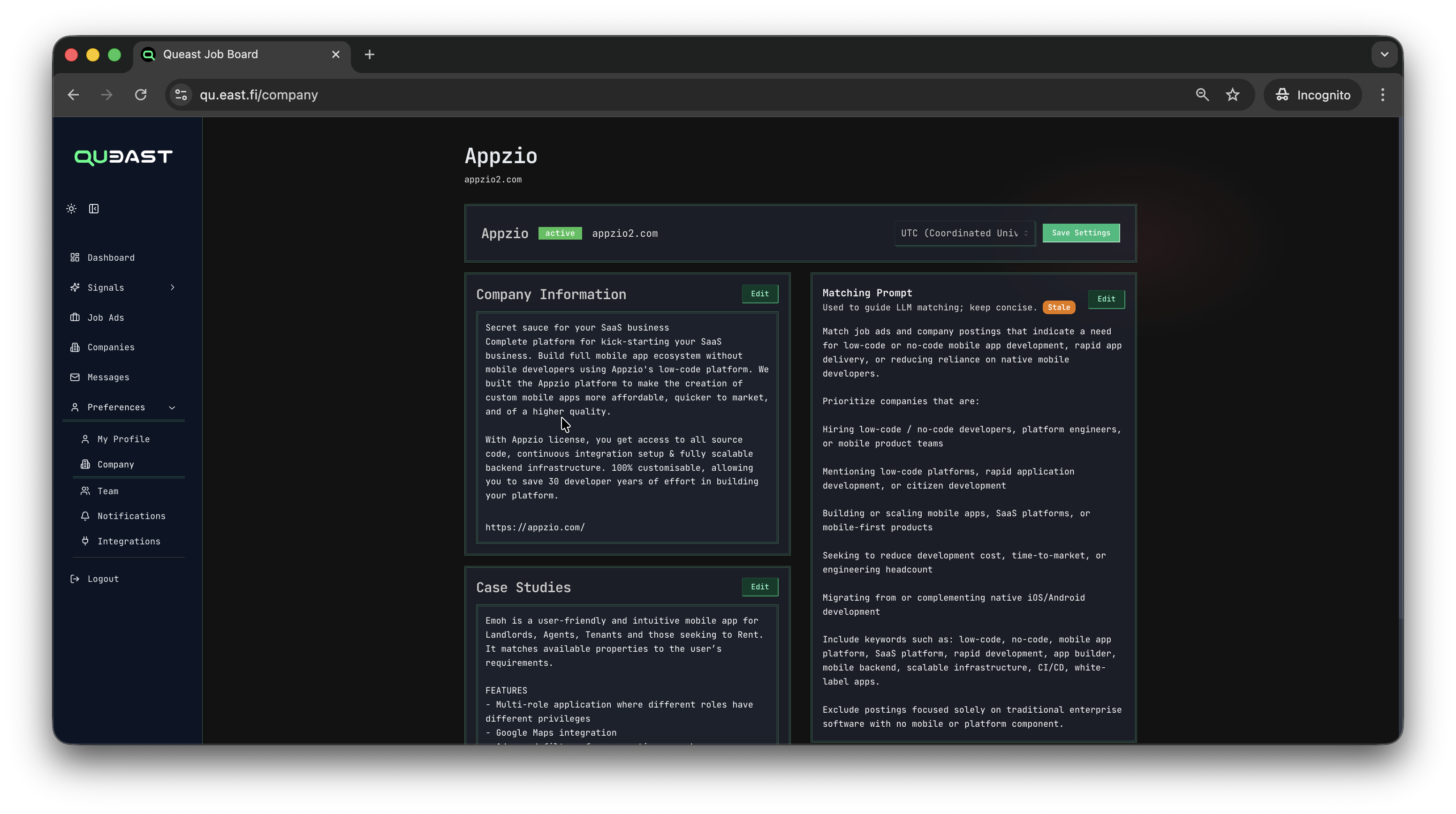
Map your expertise. Tell our AI exactly who your perfect customer is. We define your sales intelligence foundation by mapping your capabilities to potential customers.
- unique offering
- case studies
- AI matching criteria
- selected technologies from our database of 1,800+ tracked technologies
We target your Ideal Customer Profile (ICP) based on the markets you are targeting and we currently cover.
Eliminate the noise - track job ads tailored to your offering
Queast AI monitors various job market data sources, spanning over 1,800+ technologies and tech news in your target countries and ICPs – filtering the noise to detect meaningful job ads. We process and analyze:
- Thousands of job ads from a variety of sources per market
- Tech stacks, location, industry, seniority, and contract filters
- Role overview, responsibilities, requirements, and seniority
- Enriched company profile & relevant decision-makers
- Percentage fit based on your pre-defined scoring criteria
- LLM-generated outreach message template that ties your offering to the open job ad and company stack
Job ads and company IT hiring trends are tracked over time to catch accounts entering buying mode – helping you understand at a glance whether a company is scaling, modernizing, replacing systems, or solving a problem you can help with.
Smart Signals - evidence-based IT buying intent
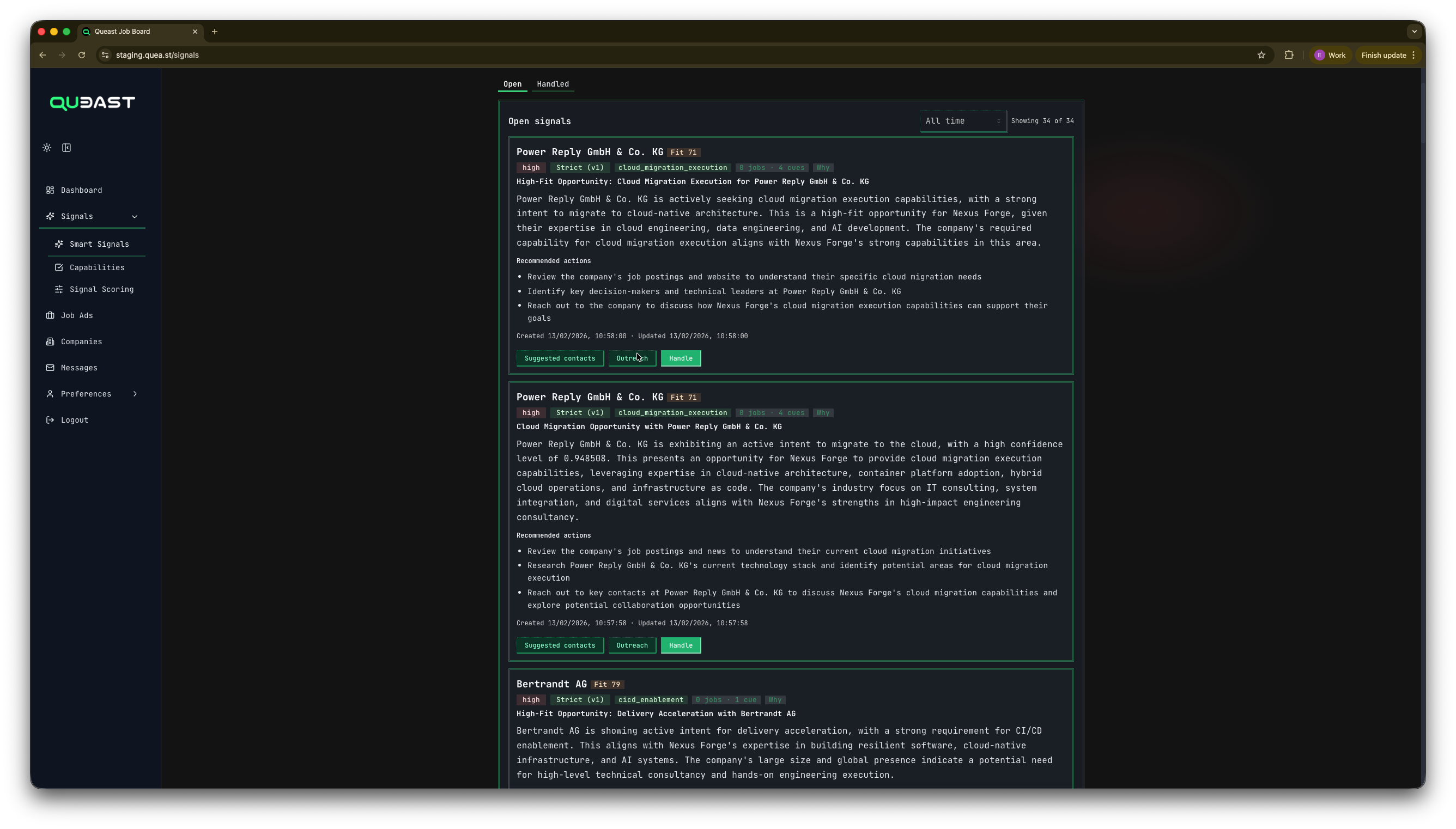
See a prioritized list of companies with active IT buying signals in your market – looking for services that match your offering. Each Smart Signal combines:
- Intent and domain, for example ‘cloud migration acceleration’
- Concrete events (job ads, tech stack changes, news)
- Enriched company profile and detected technologies
- LLM-generated outreach message proposal that ties to company-level developments rather than individual job ads, or other data points
Your team picks the next best accounts from a short, high-confidence list instead of scrolling through hundreds of weak “intent” events. Smart Signals are strict, evidence-backed recommendations – not intent noise. Evidence is analyzed, aggregated over time, and gated by strict rules before it becomes a Smart Signal.
Quality over quantity: would you rather receive 100+ messy data blips a week, or five evidence-backed opportunities that match your company's capabilities?
ICP accounts and key people
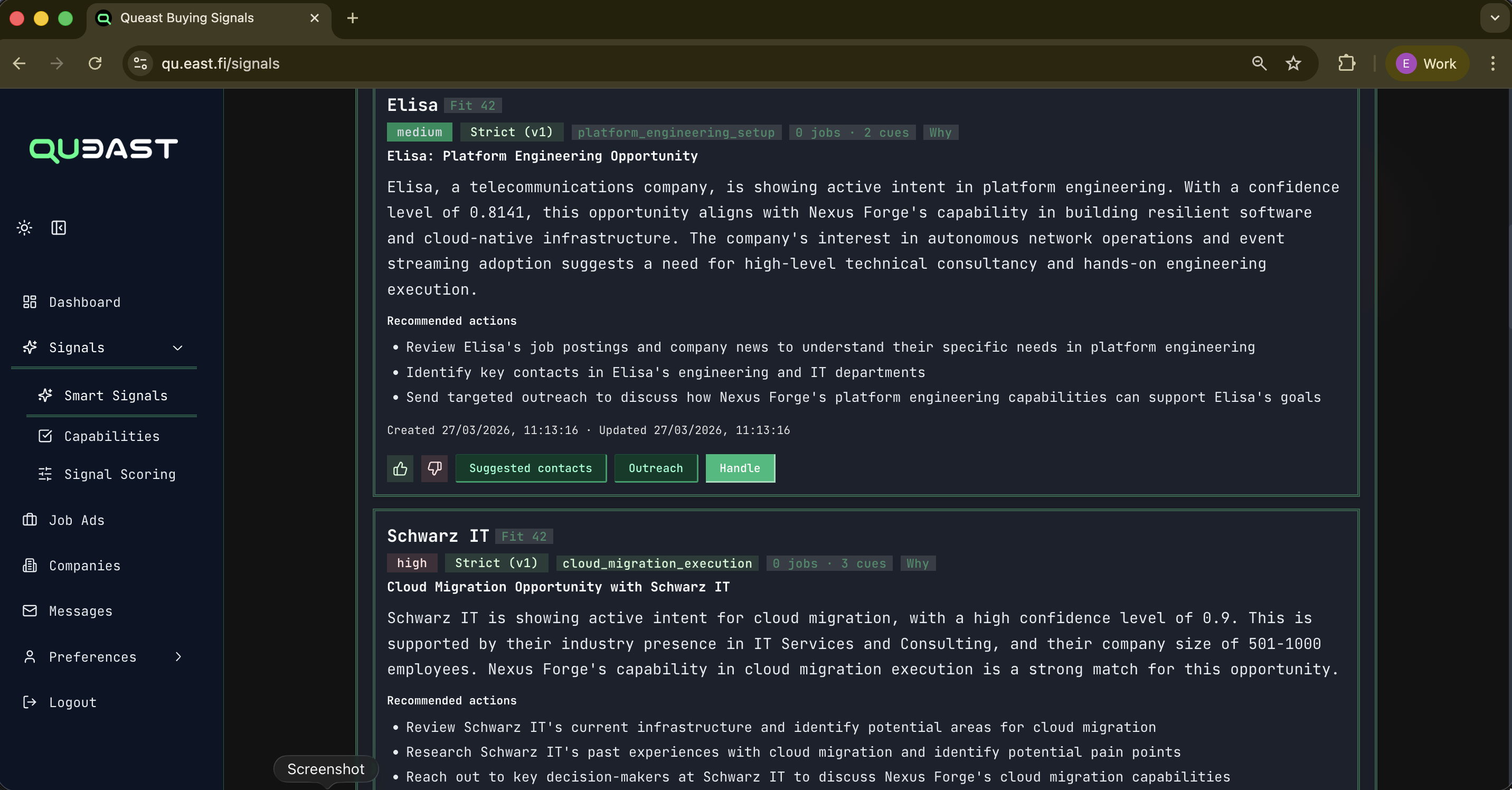
For each signal, Queast enriches:
- Company description, sector and size
- Detected technologies used across roles
- Key people likely involved in hiring and delivery
- Recent IT-related news
Queast applies these rules and surfaces only signals above your threshold. You get a limited, high-relevance feed, not a huge list to filter.
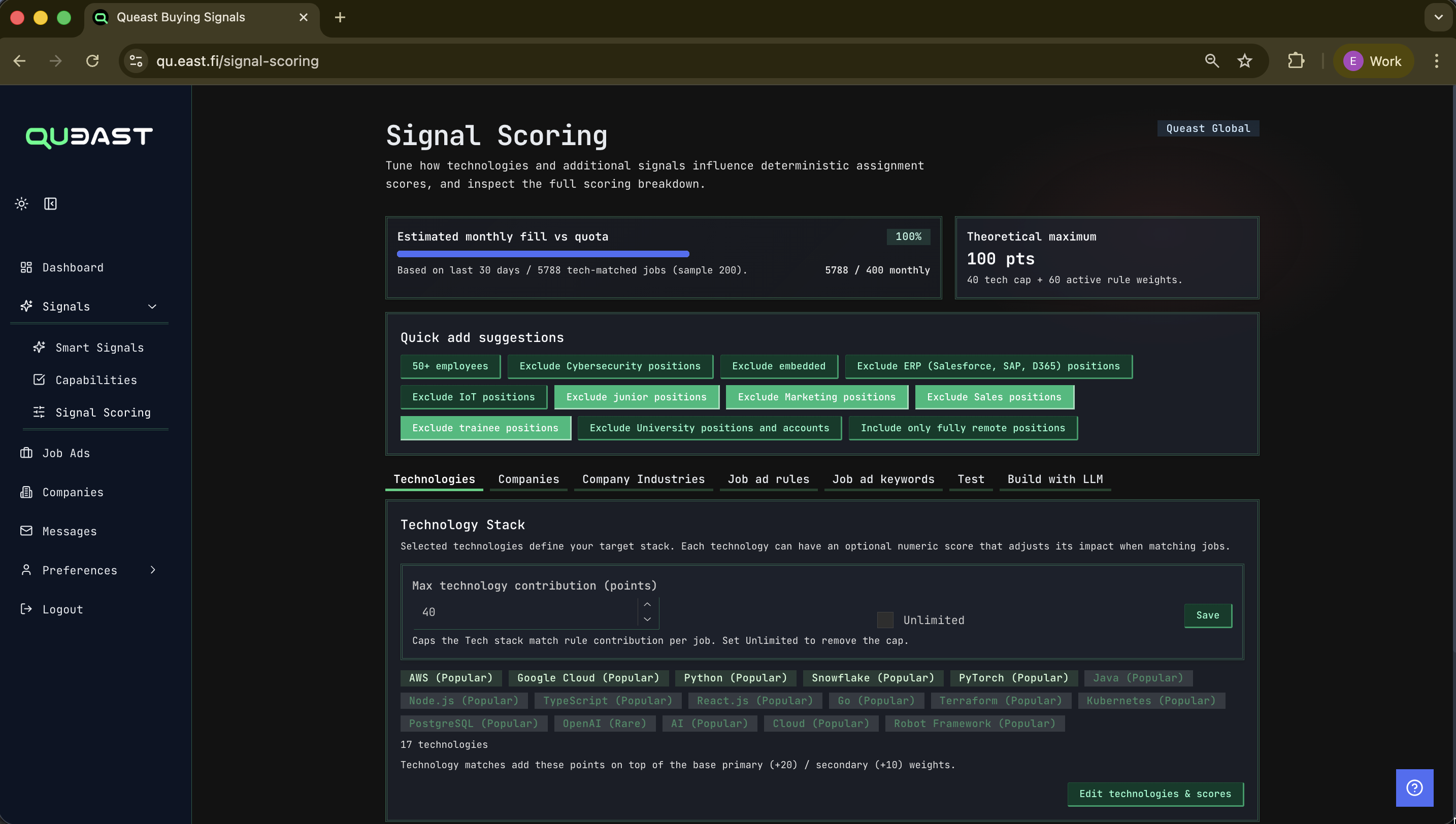
Score and curate
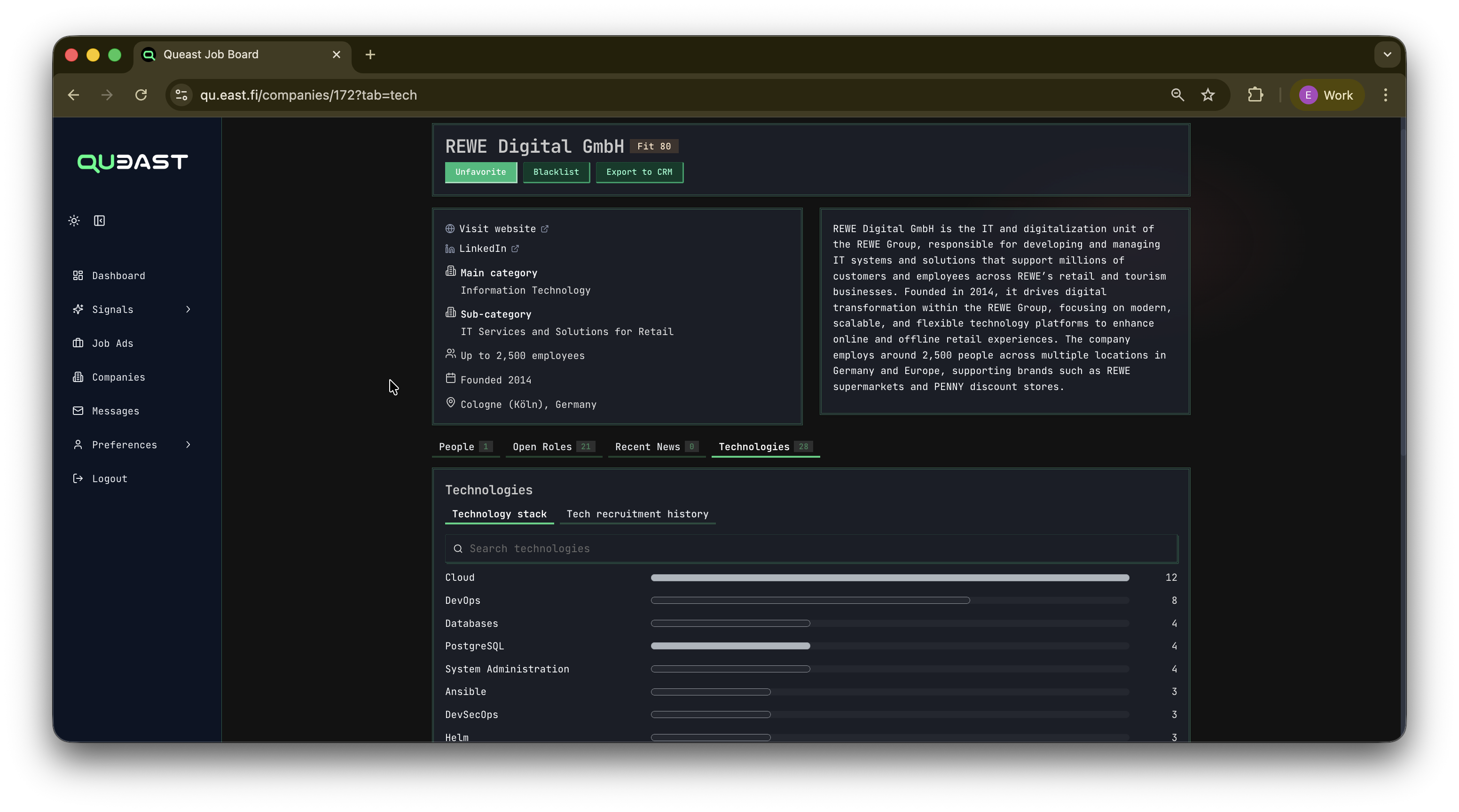
You define scoring rules per tenant:
- Target technologies and roles
- Keywords and phrases you care about
- Geography and other constraints
Queast applies these rules and surfaces only signals above your threshold. You get a limited, high-relevance feed, not a huge list to filter.
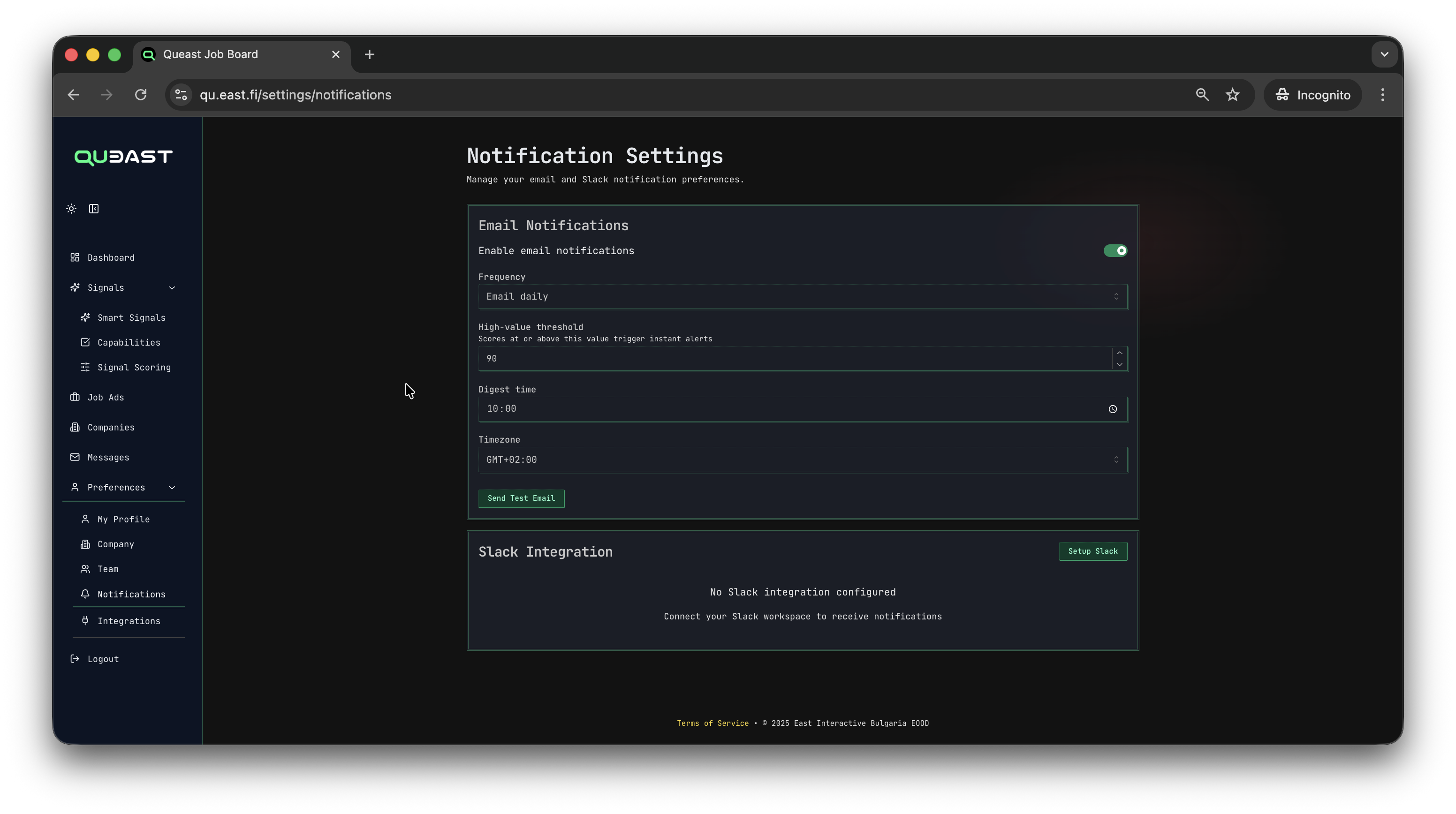
Deliver to where you work
Signals appear:
- In the Queast web app
- In email digests and instant alerts
- In Slack channels or DMs
You can claim, bookmark and comment on signals, so the team knows who is working on what.
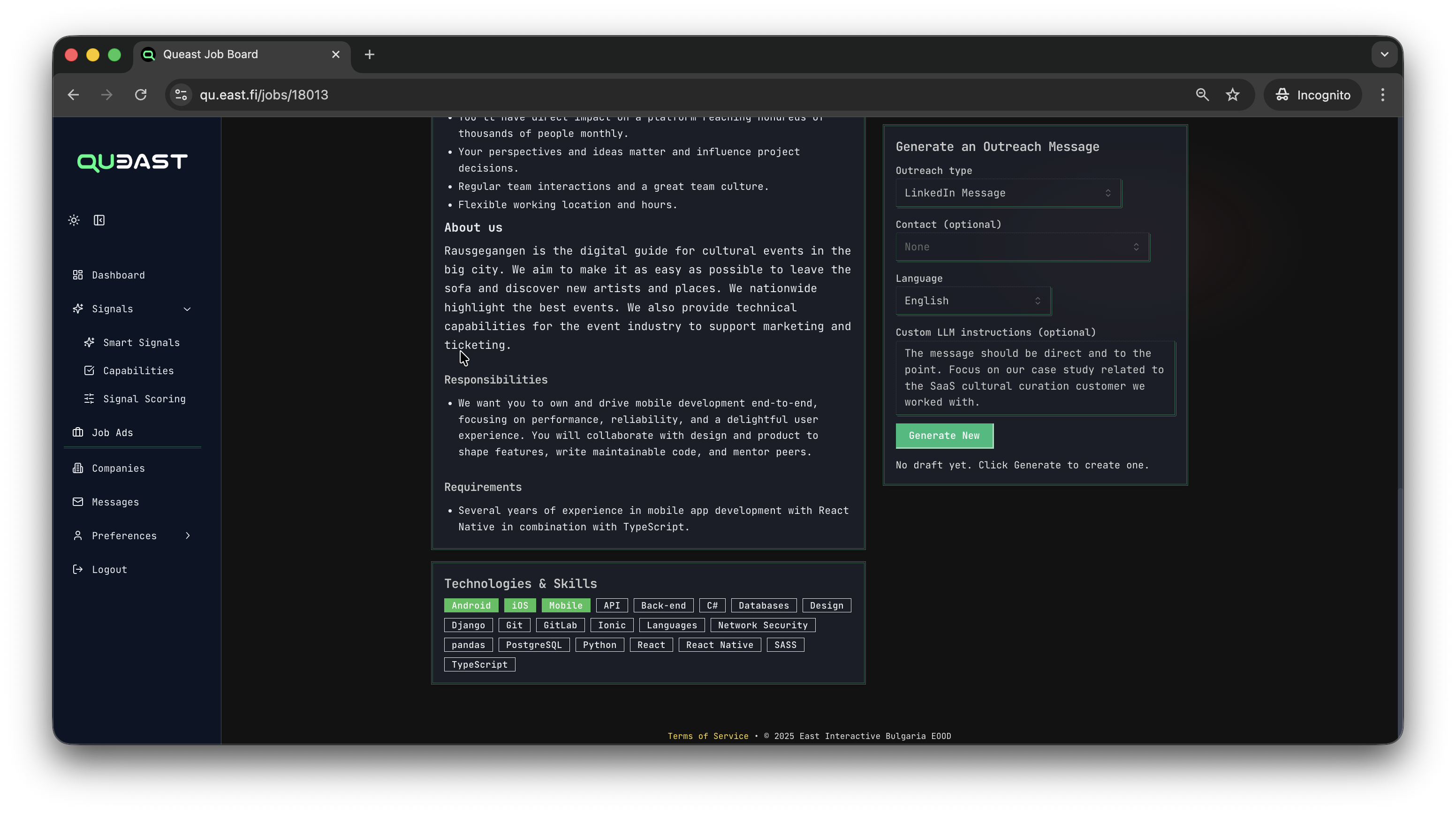
Recommended AI outreach
Generate the perfect LinkedIn and/or email outreach message based on the account’s specific pain points, your offering, and your preferred tone of voice.
- Generate a draft outreach message in the right language
- Adjust tone or angle
- Mark the match as good or not suitable
Your feedback and outcomes are used to gradually tighten the scoring and tags, so your feed gets more accurate over time.
Ready to see it in action?
Tell us about your services and target markets. We will configure Queast for your niche and show you a sample of real signals.